


Have you ever been on a research call and realized the person isn’t your target customer?
Awkward.
Then you have to make the decision: do you cut off the call?
You probably should.
Speaking to the wrong people leads to misleading data, wasted time and the wrong product direction.
Talk only to power users and you’ll build for edge cases. Talk to people outside your target customers and you’ll build things your core users won’t want, use or pay for, which means no real impact on revenue or retention.
It happens all the time.
In a survey of researchers, recruiting the wrong people was the most common mistake with 17.6% of researchers having recruited the wrong people.
Personally, of the 20 or so calls I’ve had in the past four months, I’d say a good 10% - 15% of them weren’t the ideal target customer.
Why?
Well, I went for speed. And volume.
People worry that screening or strict criteria will mean your sample is too low. Or you’ll stall time-to-live for your research. In reality, 2 great calls is better than 6 unfocused ones, as the extra noise only creates confusion.
To get great calls in the diary, you need to screen.
And, a few weeks ago I came across one of the most detailed screening flows I’ve ever seen. It was in Figma, and moved through four parts:
In-product mini survey
CTA to join research program
Screening survey in a browser
Invite to further research (42 days later)

So, let’s break down that flow step by step, and show how you can screen customers more effectively, whilst also still getting enough calls in the diary.
1) First, a one-question survey
There I was in FigJam mapping out a retention flow.
As I was adding another post-it, I saw a little pop up bottom right of the screen.
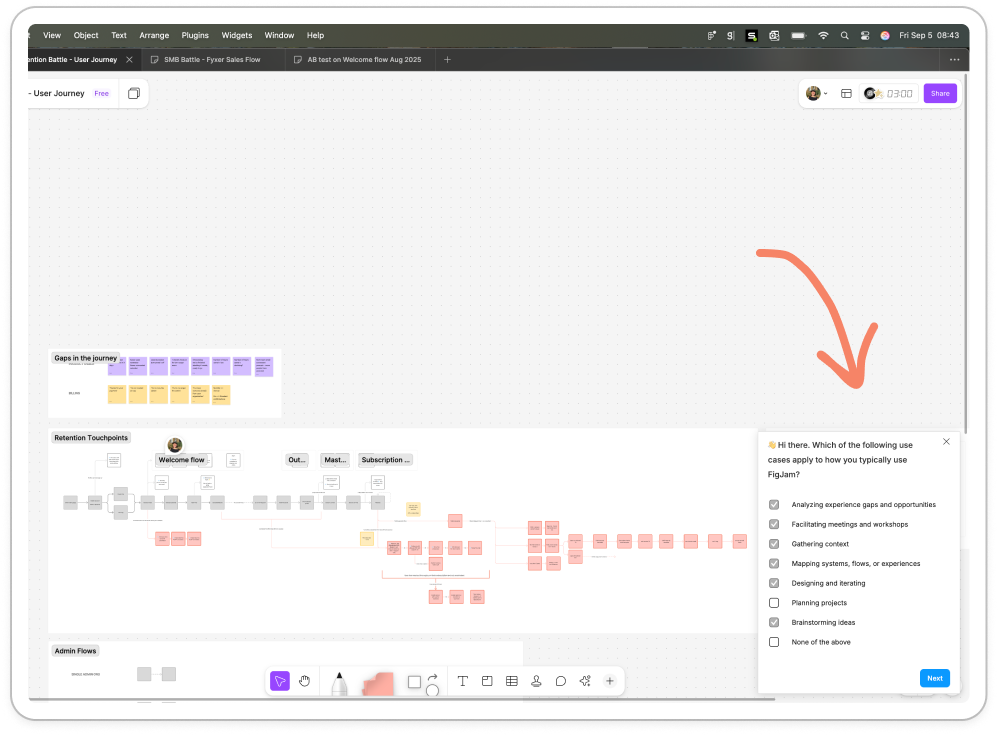
It’s subtle, probably around 15% of the screen and blends in nicely to my workspace in terms of color. The module says:
👋 Hi there. Which of the following use cases apply to how you typically use FigJam?
Followed by eight options:
Analyzing experience gaps and opportunities
Facilitating meetings and workshops
Gathering context
Mapping systems, flows, or experiences
Designing and iterating
Planning projects
Brainstorming ideas
Other
As a fast follow, I’m asked a second question:
Which use case would you say is the primary way you use FigJam?
Followed by the same eight options, in a different order.
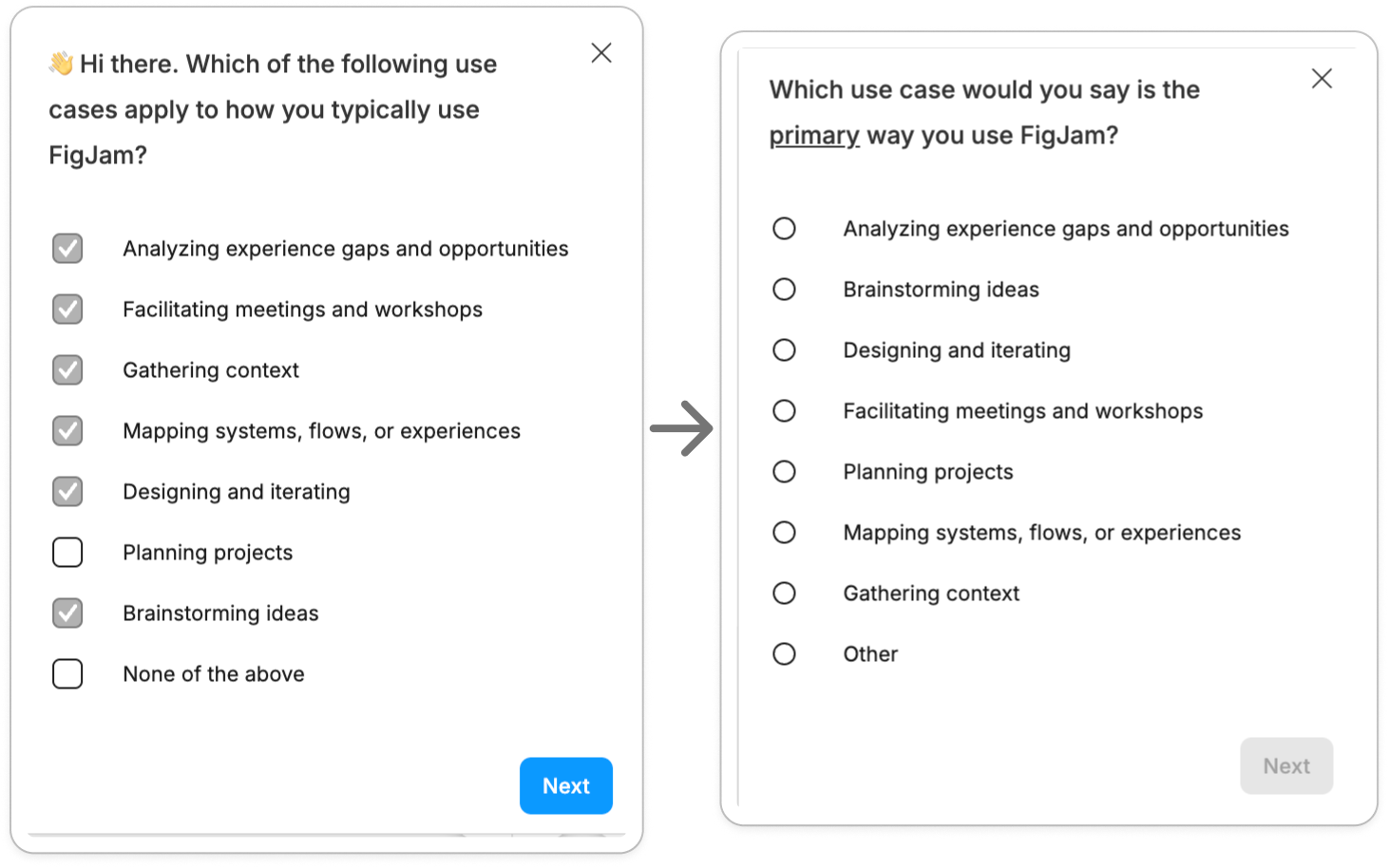
Single select is always more challenging for people, hence why this opens with a multi select. And, because I’ve already started the survey with the easier question, I feel like I want to continue due to the sunk cost effect 🧠.
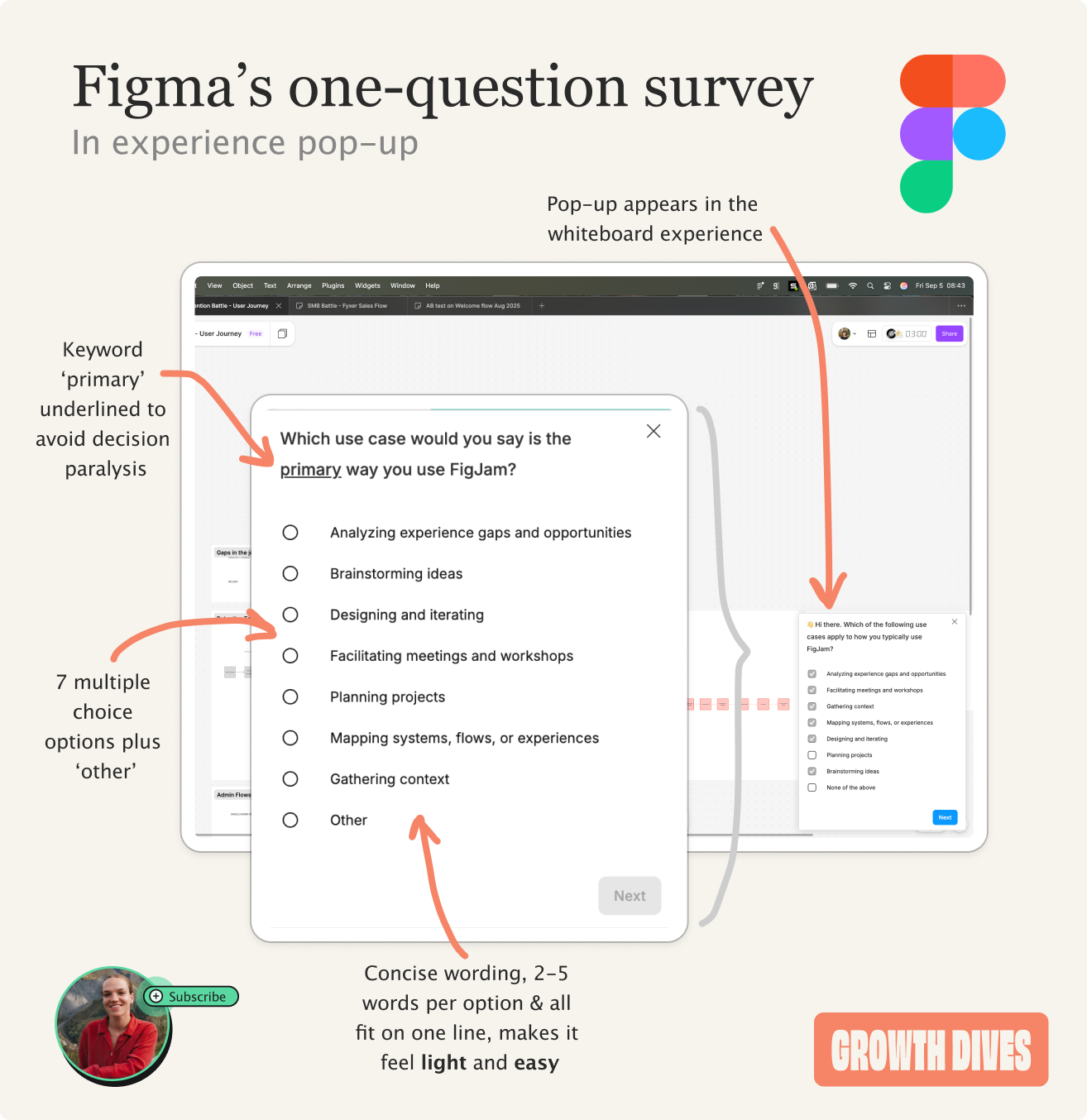
What’s good about this module is that:
The questions are easy to understand in a heartbeat (no re-reading)
The options are concise (max five works, minimum two)
It’s embedded in the experience (I’m literally mid-task, so the answer is fresh in my mind)
It’s visible but not in-the-way
It also feels slightly gamified, I don’t know what’s coming next, so it feels fun.
Carrying on, I’m asked three more questions:
How effective or ineffective is FigJam in helping you explore and visualize ideas or systems?
When using FigJam, do you tend to work alone or collaboratively with others?
When using FigJam collaboratively, do you tend to work more live, in real time or asynchronously?
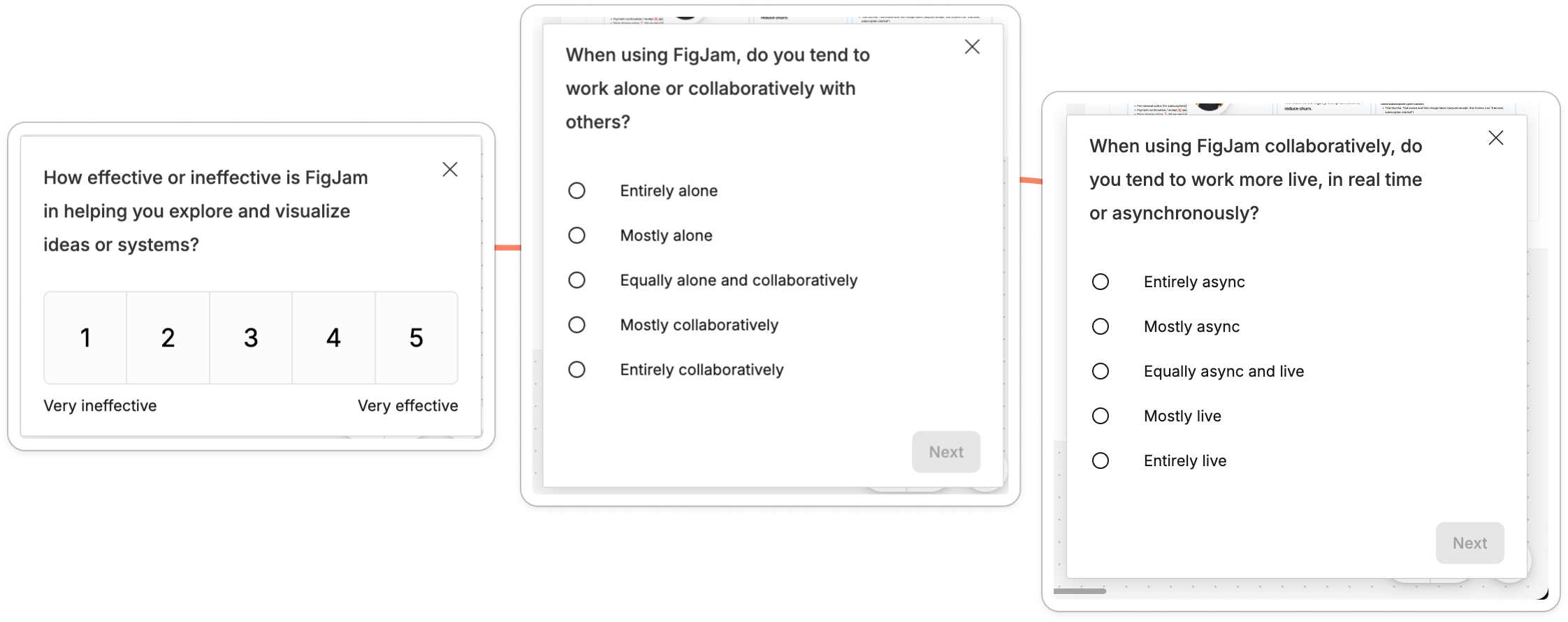
What Figma has done here is:
Check the core job I use the tool for (visualization)
Rank that core job out of 5
Put me into a persona of: solo versus collaborative user, or sync vs. async user
Expertly done.
However there’s one catch.
I answered with the middle option for the last two questions. Why? Well I use FigJam both alone and with others, sometimes sync, sometimes async. For me, it’s less of a yes or no, more of a timeline.
My workflow starts with solo async, builds to sync collaboration work, and ends again with solo planning work.

So, whilst this survey gathers data, it might not be able to screen me properly given how complex workflows are.
I end on a thank-you screen that invites me to join their research panel.
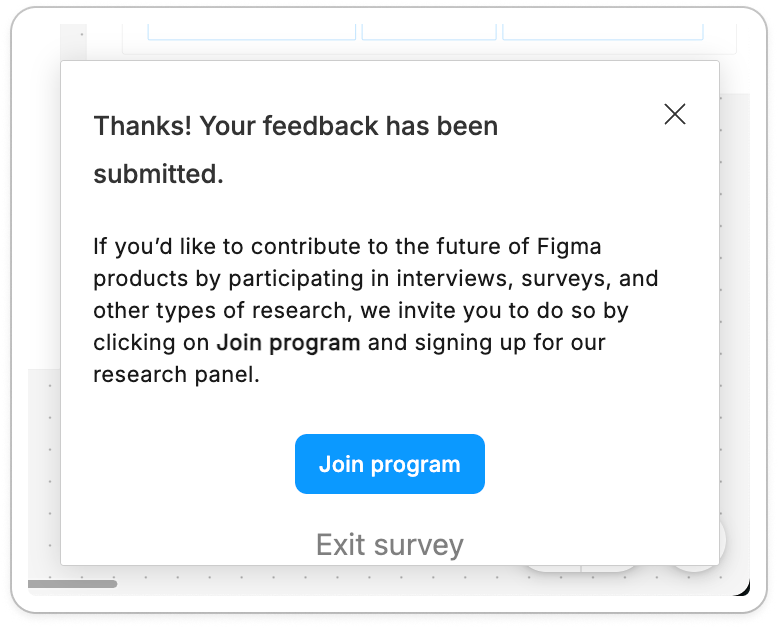
I feel ✨ special ✨
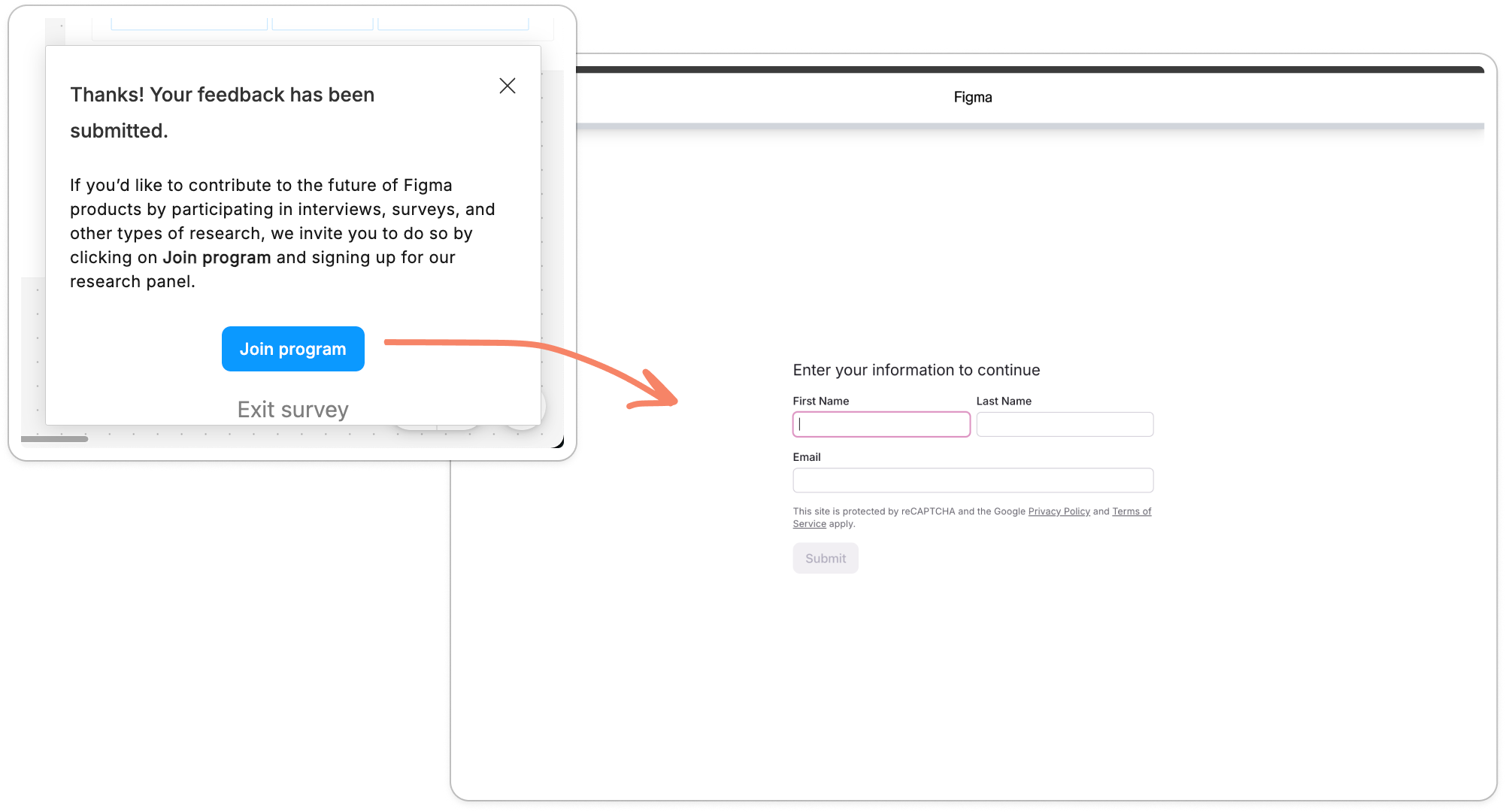
So, I hit Join program, and I’m taken to an 11-part screening survey so Figma can find out exactly who I am. And whether I matter to them.
2) Figma’s screening survey
Clicking the blue button takes me out to a page where I enter my name and email.
Next I see a series of 11 questions that start by asking for age and language requirements, followed by my role, company and use of AI at work.
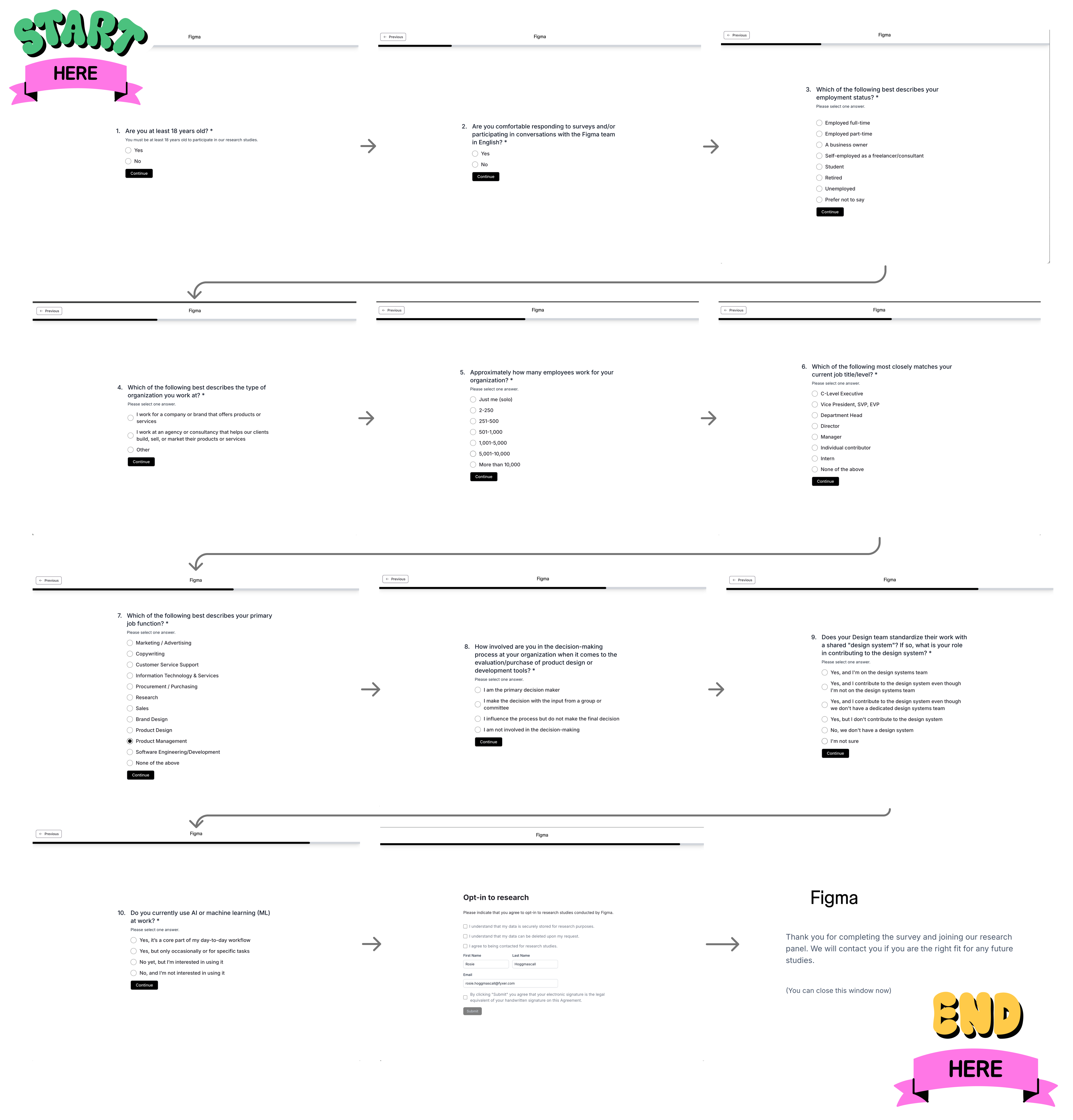
The first few questions are standard, but these ones caught my eye:
How involved are you in the decision making process at your organization when it comes to the evaluation/purchase of any product design or development tools?
Does your design team standardize their work with a shared “design system”? If so, what is your role in contributing to the design system?
Do you currently use AI or machine learning at work?
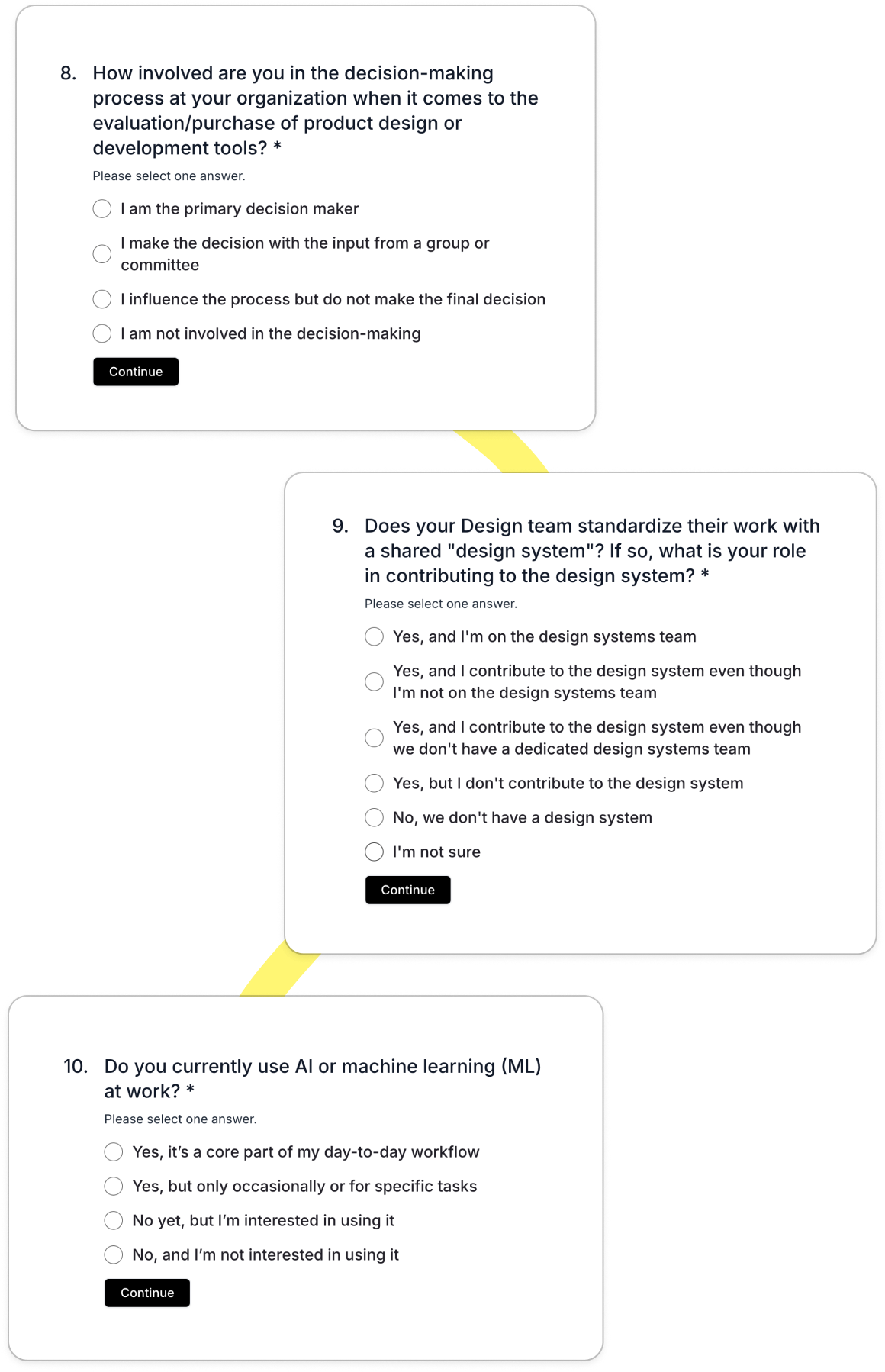
With this question set, Figma are able to pick out:
Organizations with more mature design practices (like design systems)
People who use AI today or are open to adopting it
People whose role or seniority allows them to contribute to tooling and spend decisions
And they’re able to weed out:
Solopreneurs or individual users who may not represent team workflows
People who have no interest in AI or are unlikely to adopt future features
Teams that are too early in their design maturity
People who sit far from design or engineering and would give less relevant input
Added in with the workflow questions from the original survey (solo vs collaborative, sync vs async, visualizing vs facilitating vs brainstorming), Figma has a huge range of segmentations they can use across lots of research questions.
At this point I was curious what they were researching.
** cough cough ** AI ** cough**
And that curiosity was answered 42 days later when I was called into service.
3) The call up email from Figma
Over a month later, I receive an email with the subject:
Talk to us about Figma AI experiences!
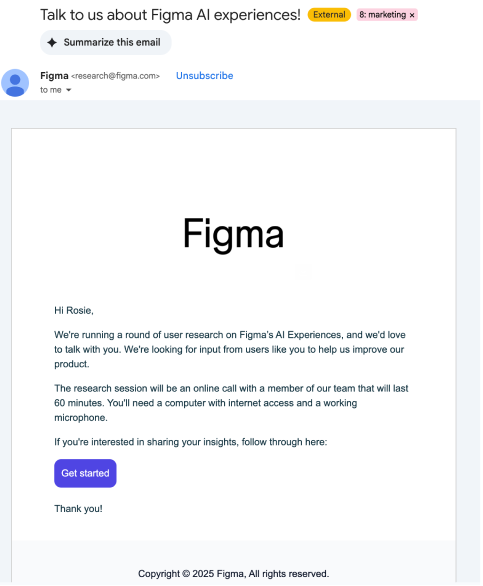
The email asked for a 60-minute research call, which I didn’t feel like I had time for without some sort of compensation (though I was curious to see what questions they’d ask, or if I’d see a prototype 👀).
What I suspect here is that their screening system has been used. The copy states:
“We’re looking for input from users like you”
I wasn’t chosen at random.
I was selected because my answers matched the exact profile they were researching. I work collaboratively, with a team, in a product role, at a company that already uses AI, and I make decisions on tools.
My guess is that they were exploring AI features with potential monetization implications or a direction that could prompt switching from another tool. Hence why decision makers need to be involved.
What also stood out was the timing.
I received the invite 42 days after filling in the survey, yet that didn’t feel like it messed with momentum. Once you have a bank of pre-qualified and engaged people, research becomes a pull system rather than a push system. You bring in the right people when you actually need them.
But what if you don’t have enough users?
For this to work, you need enough participants. As of March this year, Figma has over 13 million monthly active users, so there’s no issue in recruiting there.

Most early stage startups and some scale-ups might not have the numbers to make such an extensive screening system work.
If you’re unsure, some quick maths helps look at how much friction you can add to screen people before you get diminishing returns.
I’ve seen call booking rate from emails at around 0.5%-2% from a user research email. Working backwards, if you want 5 calls booked, you’d need to email 1111 people, assuming:
2% email click rate (levers: number of links/buttons, size of buttons, copy, offer, sender)
30% meeting page booking rate (levers: number of slots, time zone match, copy on page, profile pic)
25% drop off rate (levers: email reminders, length of call)
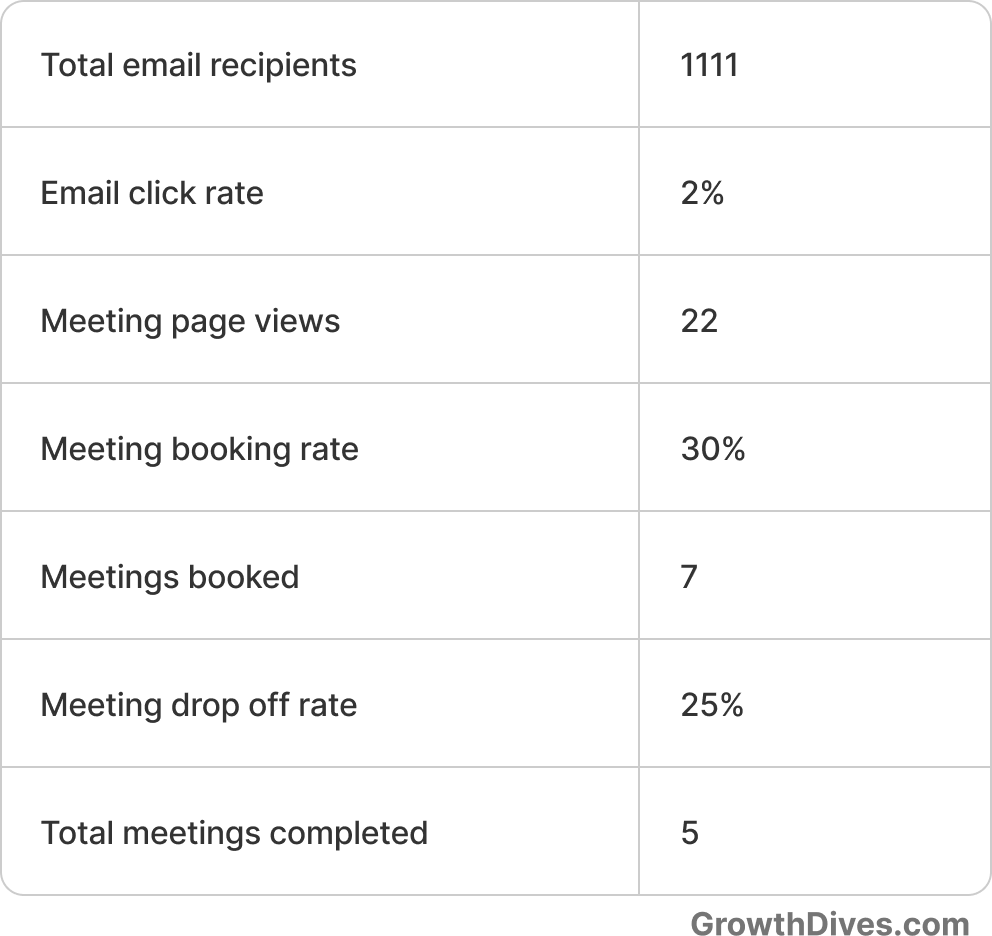
With these numbers, adding friction feels risky.
But arguably, talking to the wrong users is riskier.
If you need a lighter approach, there are simpler screening flows that still work, such as:
Email → Typeform → Calendly (only if they meet criteria)
Email → Calendly with a couple of qualifying questions
Email → Calendly with no questions, but very clear copy about who you want to speak to
Ideally, cohorting who you send the email to will help to narrow down too. I’ve also seen copy that makes people feel special work really well, things like “we’re inviting you to our advisory group”, “you’re one of 100 who has been selected for our user advisory board”. This can increase conversion to call, as well as offers ($30 for 30mins, for instance).
So it is possible to do this without a huge audience. It just takes more care in how you design the flow, the copy, and the ask.
In conclusion: save your time and screen
Talking to the wrong users is like building the perfect chart from the wrong dataset. No matter how well you run the interview, the output tells you nothing.
Screening is crucial to get the right folks on a call and make better product decisions. Figma shows the extent to which you can screen, and the detailed segmentation you can get out of it if you ask the right questions.
Most of us don’t have 13 million users. But even asking one to three focused questions and targeting carefully with clear copy can reduce the risk of a poor call.
Here are the top 5 takeaways from the Figma flow:
Keep questions short and light (no double-takes or re-reading)
Keep the options multi choice where possible (instead of free text)
Mix behavioral personas with demographic ones
Know your buckets beforehand and choose questions that tease them out
Offering no compensation for a 60 min call is risky, however if people feel special, they might be tempted. We all love an insider look.
Notice anything else? Curious to hear.