


There are two feelings that plague me when I do user research.
The first is excitement.
One 20-minute conversation and hundreds of ideas, followups, snippets to share 🤤
The second is regret.
Regret that I didn’t capture all of it.
I draw what I can in my notepad. I record the call. I write a quick debrief in Slack. And still, the deepest insights 💨 poof 💨 leave my head before I’ve formed the thought.
That used to be the norm.
Then I found Dovetail.
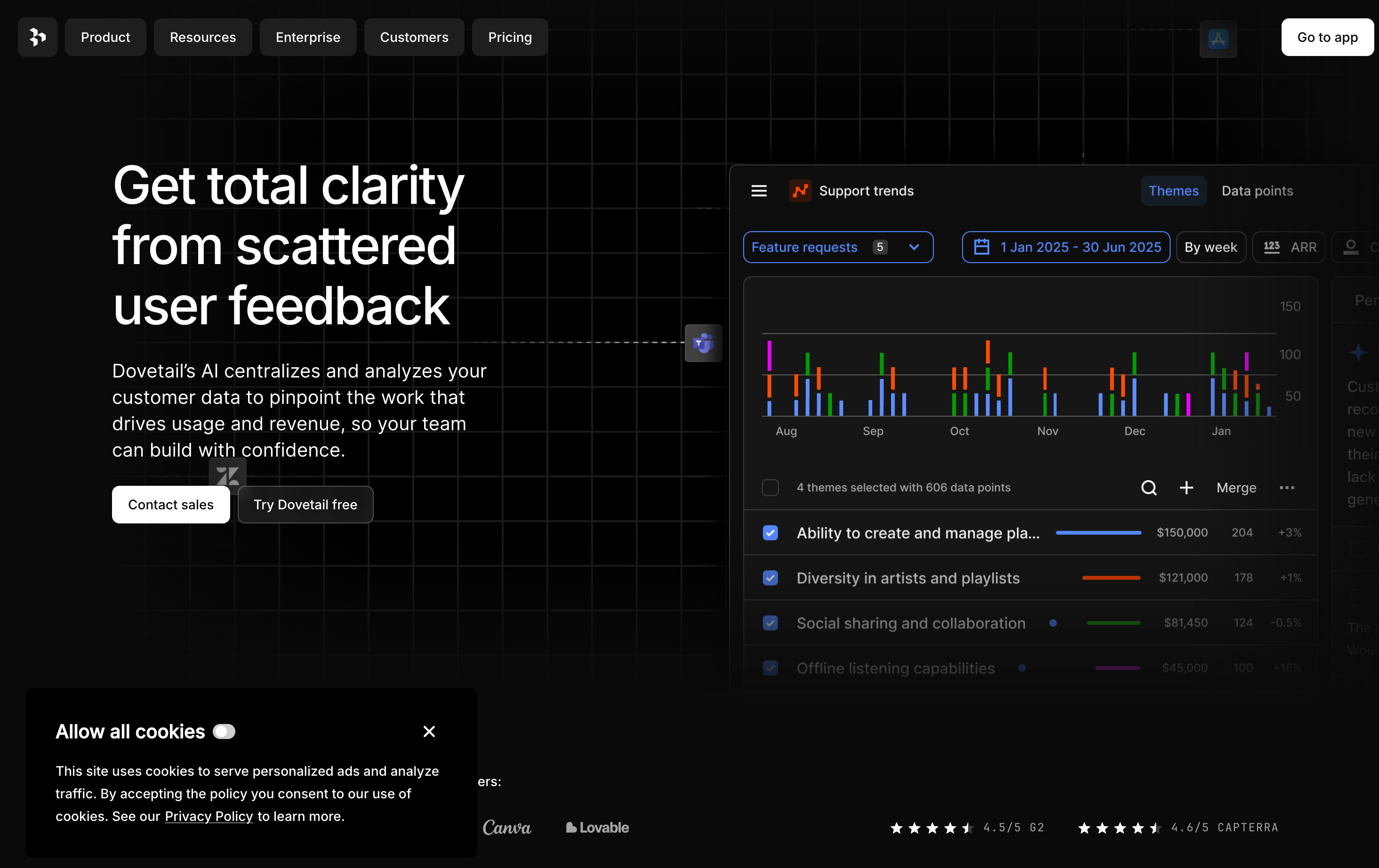
Dovetail feels like it grew under the radar for years since it started in 2017, largely because the founders wanted a lifestyle business in the early days.
Despite the chill start the tool caught traction quickly. In 2019 with just three employees, they had 100s of customers including big fish like Shopify, BCG and Harvard.
At this point they changed track, deciding to accept VC funding. In 2020, Dovetail raised a $4M seed round followed by a $63M Series A in 2022.
Now, the tool has 100,000 users across 4,000 brands including the likes of Netflix, Shopify, and Canva (their customers page is bursting with logos.) On their site, Dovetail claims to
Save 30% of team capacity
Give back 30hrs in a week per user
See a 2.3X return on investment
For $20 a month, that’s nae too bad.
To test it properly, I had to throw my real work at it.
The moment my research pain got more painful.
Last week, I shared how I recently unlocked AI prototyping as a skill. But with that, the hardest part of research moved downstream: getting from customer calls to insight. Prototyping unlocked = more chaos.
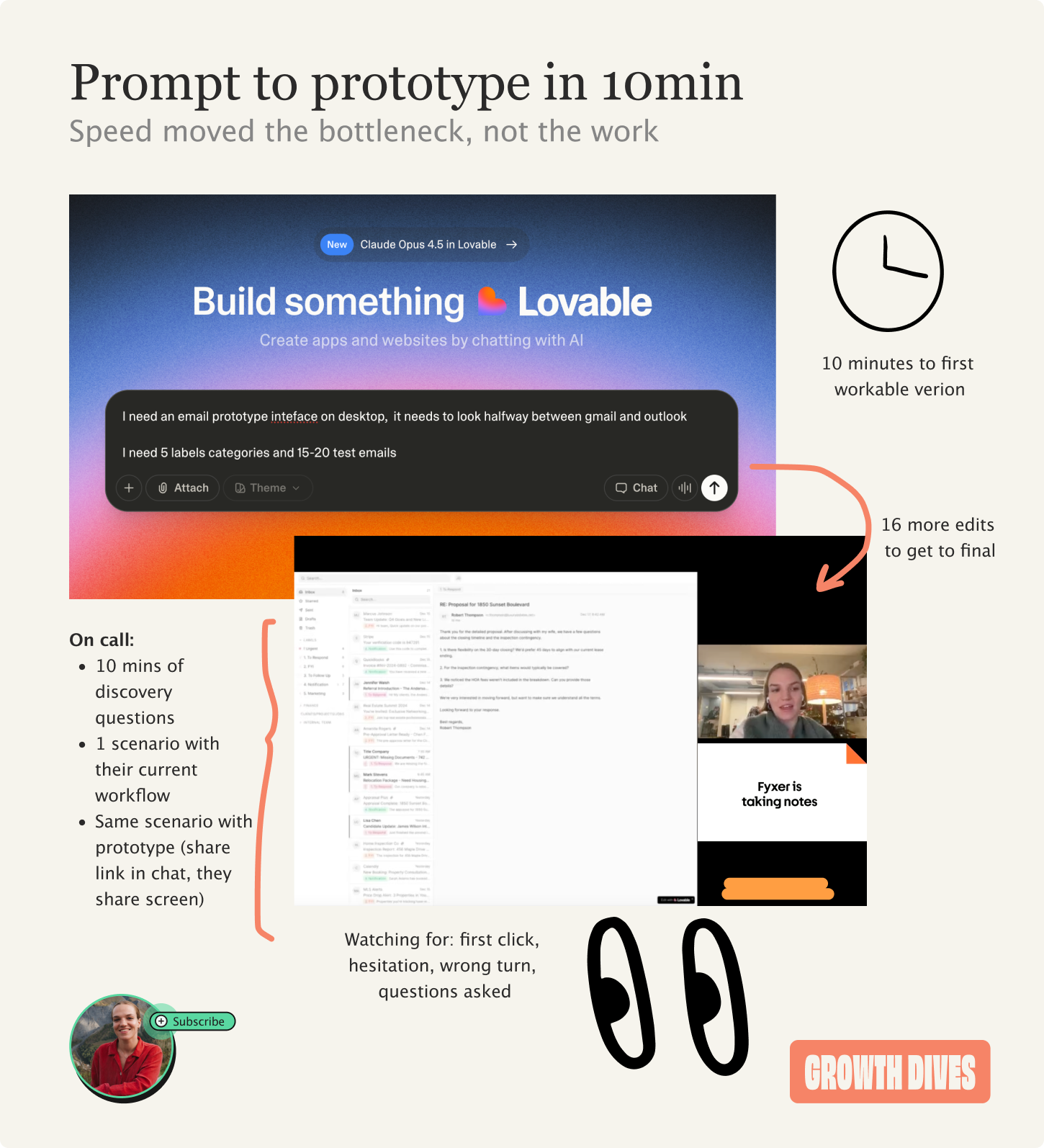
Rewind to December. I had the prototype and tens of calls in the diary. I ended up doing 29 interviews, iterating the prototype on the fly. When it came time to share insights with the team, I downloaded the videos and cut them up in Canva.
And it was so painful.
I’ve never wanted to smash my laptop more.
At that same moment, I was chatting to a friend Daphne, and she said, ‘you know Rosie, there’s a product for that. It’s called Dovetail.’
From landing page to first project
I’ve never run faster to a landing page.
From the homepage, I went straight into signup. Next, join team.
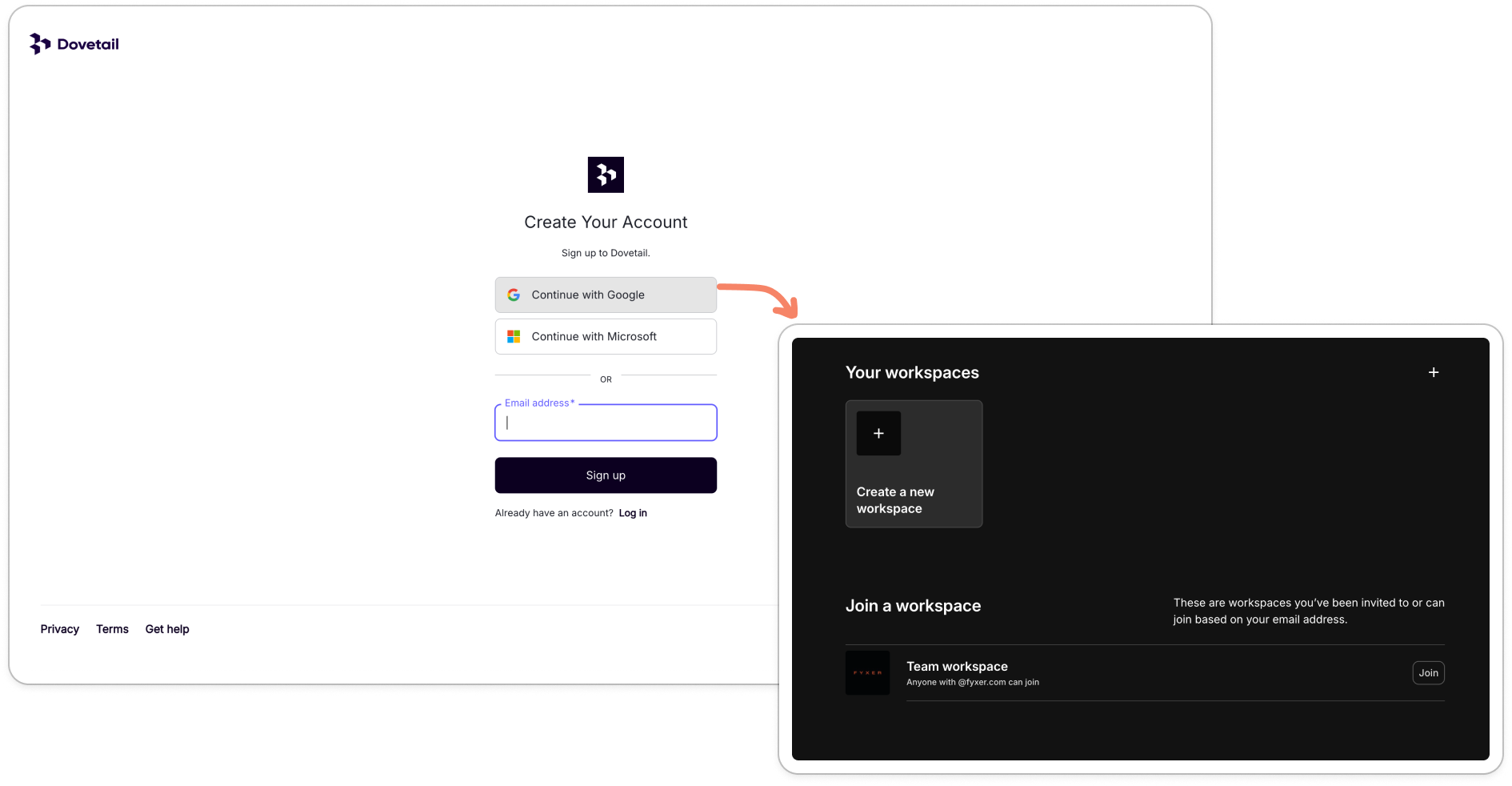
There was an old team already there - I went in, had a look, saw it was dead and so created my own.
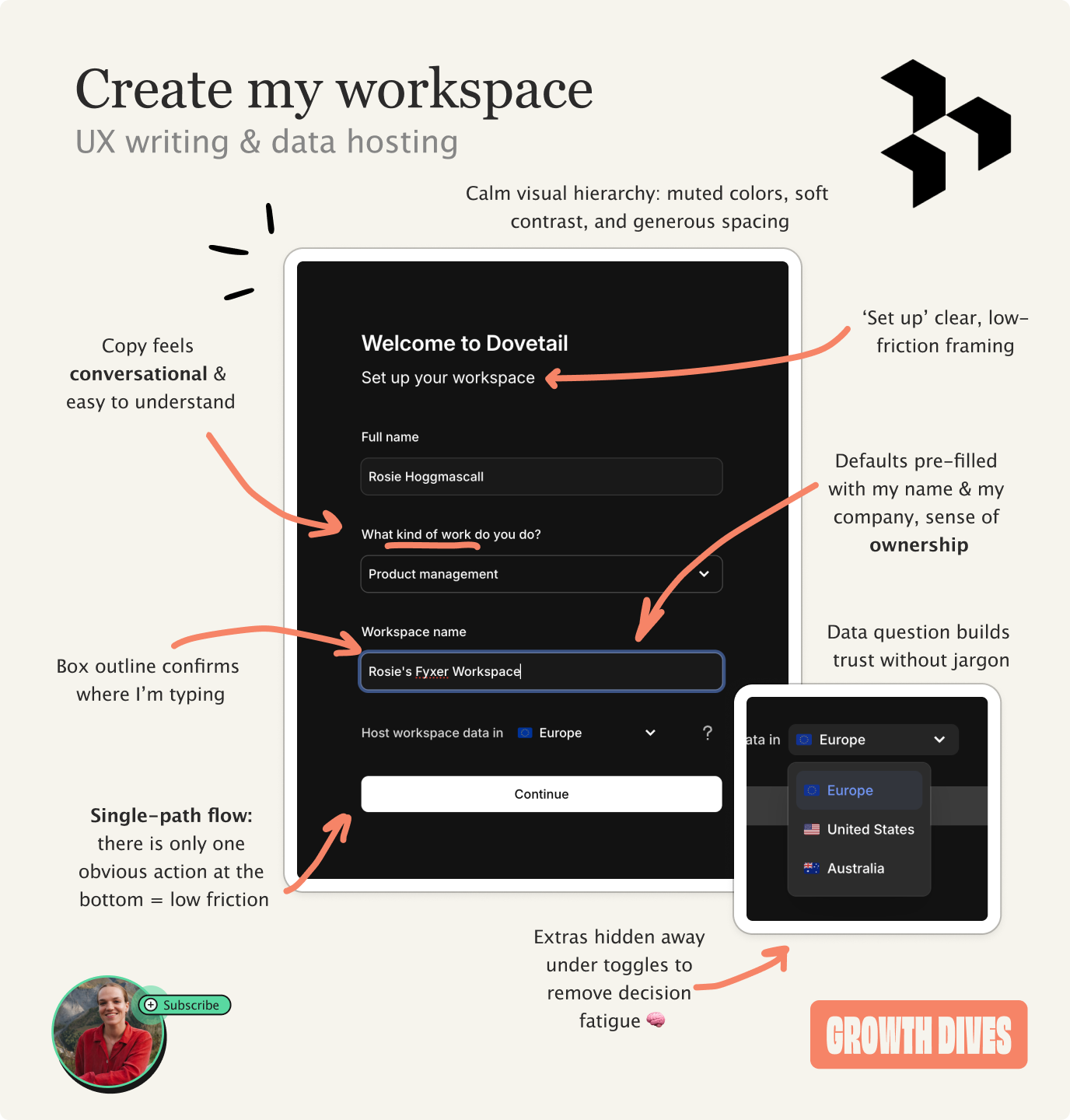
The workspace step was great for a few reasons:
Calm visual hierarchy (good spacing, simple colors), kept me in a low-stress cognitive state
Personalizing ‘Rosie’s Fyxer workspace’ to add a sense of ownership and remove a step for me
Adding in a trust step with data storage drop down
Copy that feels so easy to understand it’s like soft butter
After this screen, I’m snapped back to reality with the question:
What do you want to explore first?
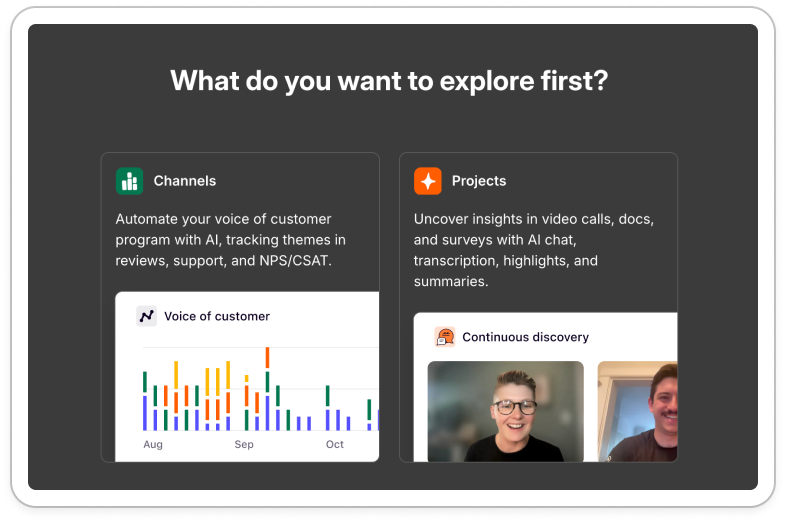
Uhhh, not sure?
I didn’t know what a channel or project was. I scanned this module, and didn’t get it. I knew I needed to upload calls so I picked the one with the face 🫠
I then made it into the product’s insights section, where I found an onboarding carousel.
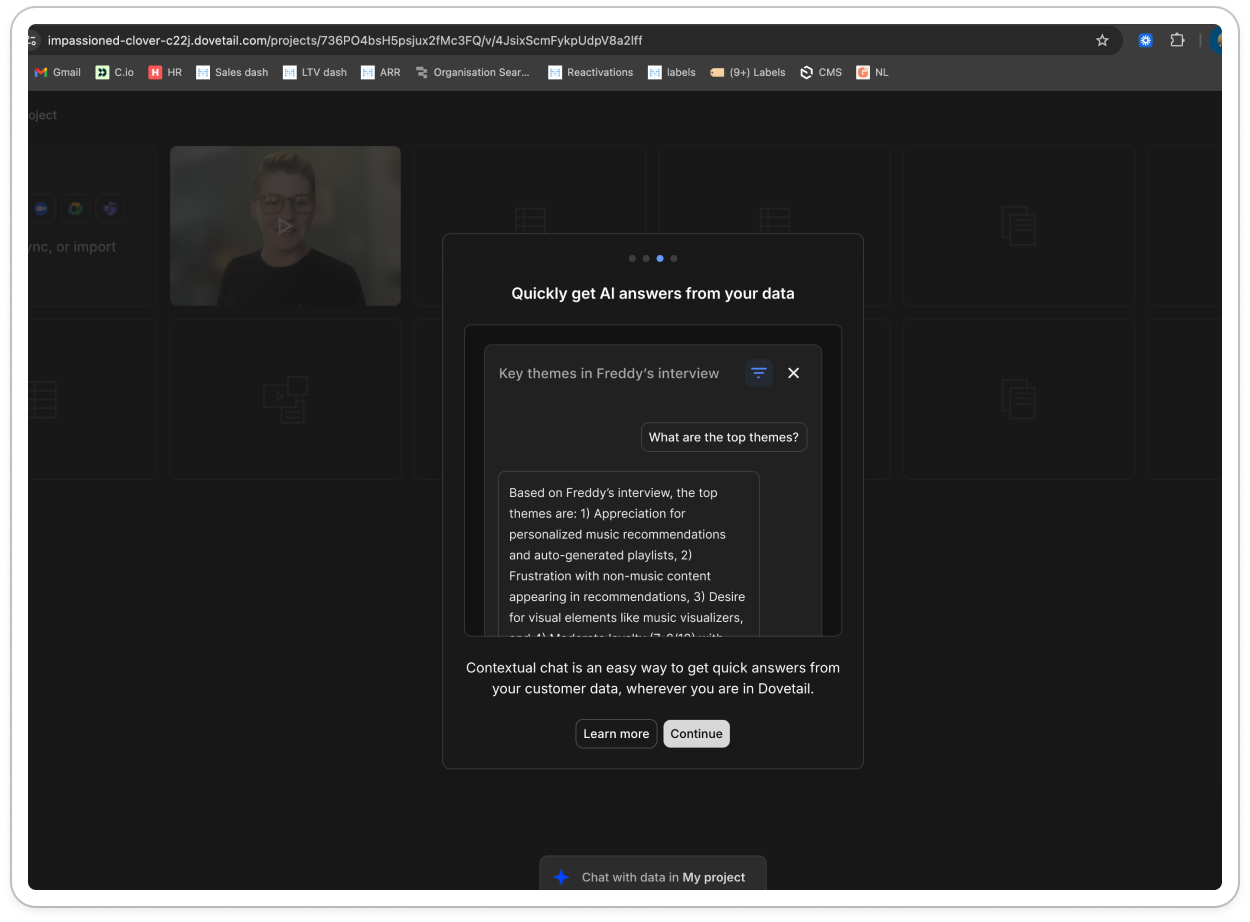
Compared to the lightweight workspace setup, this step felt visually dense, with too little separation between the title, imagery, and supporting copy.
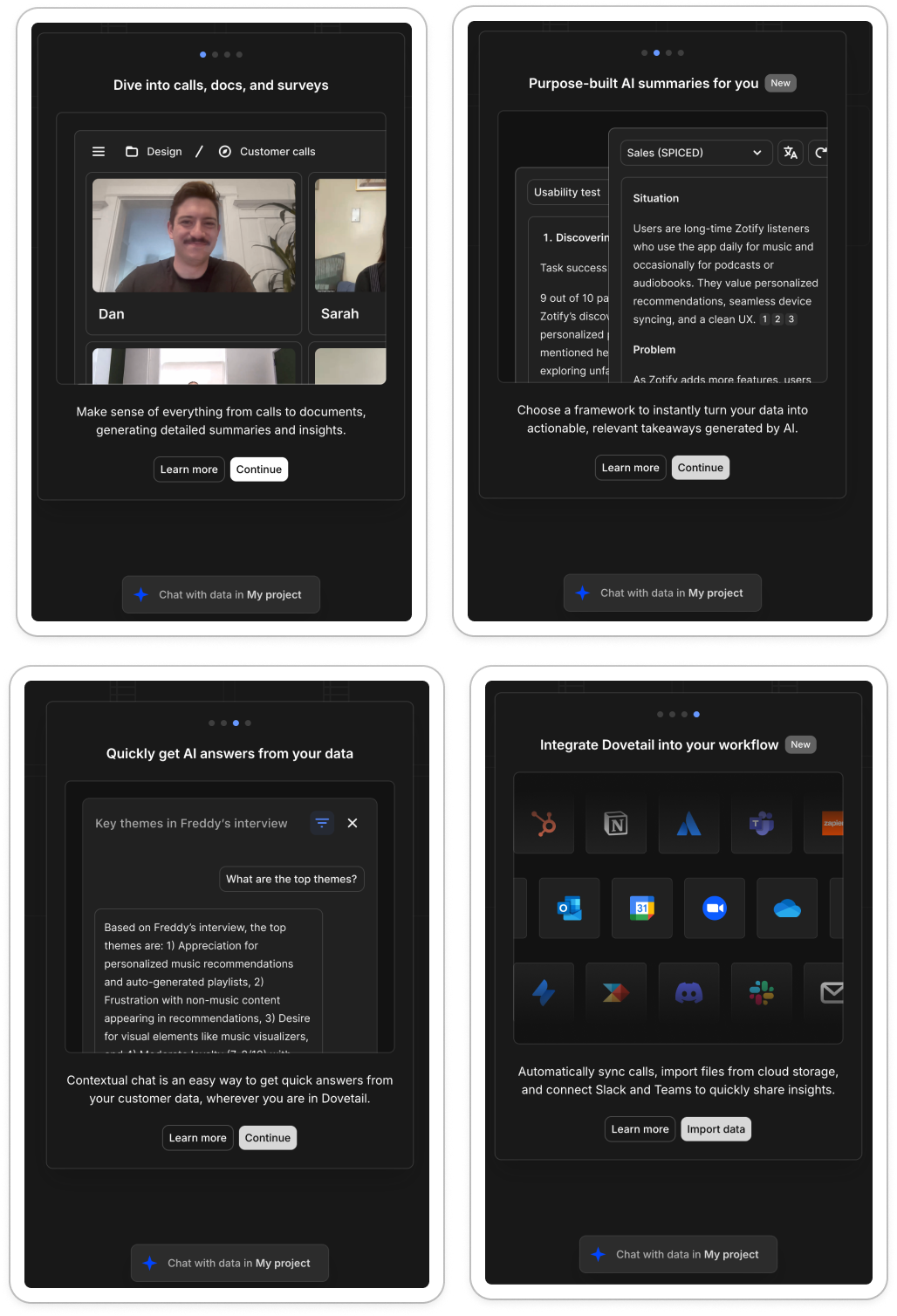
What was smart, was the only pop of color being the AI chat, which subtly draws attention and nudges us towards it without an explicit prompt.
When I finished clicking through this carousel, I was in.
I uploaded my most recent interviews and Dovetail got to work.
Magic moments: tagging, highlights & AI chat
My time to magic moment was longer than most products, given the need to import data.
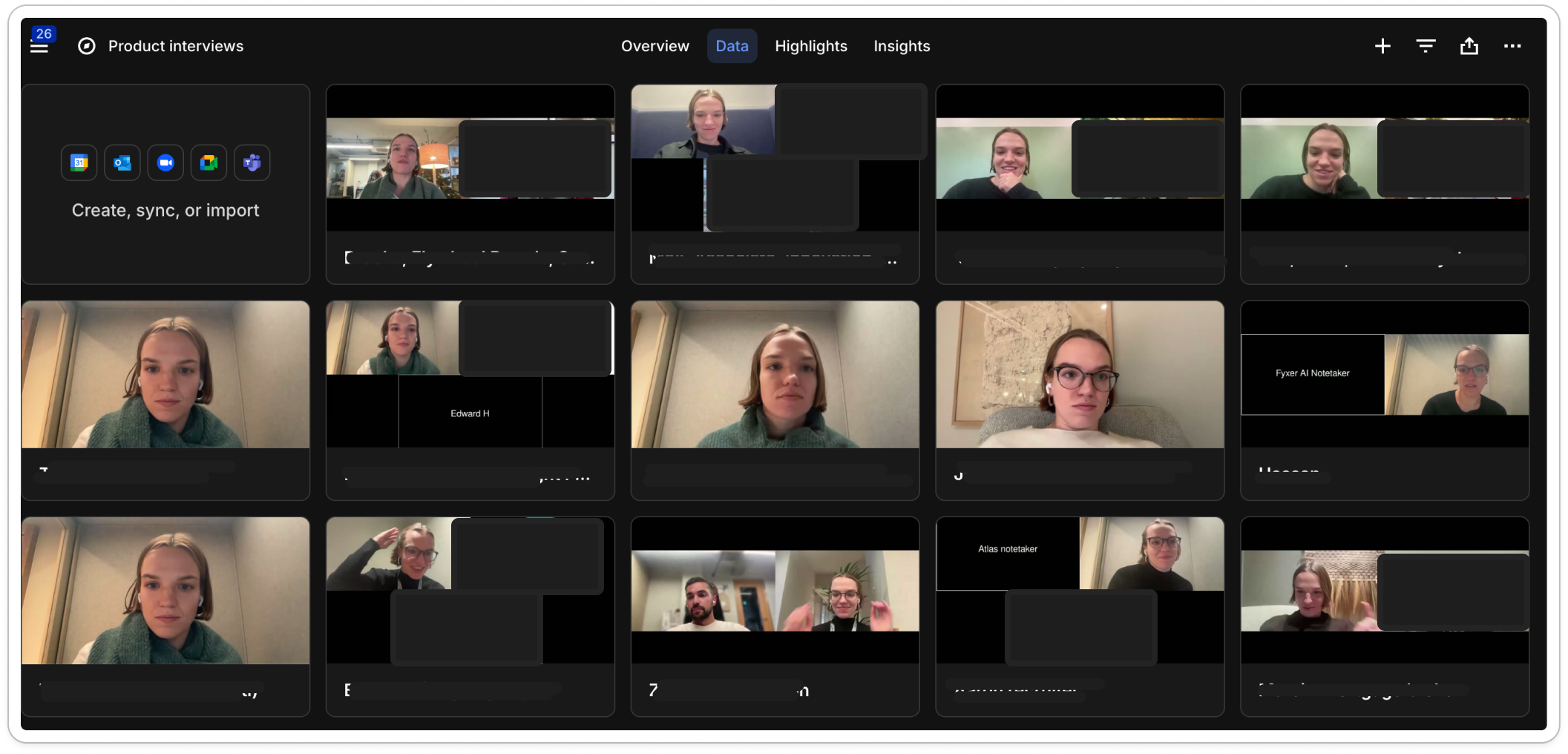
But once I imported and clicked on a call, it was immediate what the value was: automatic highlights and tagging.
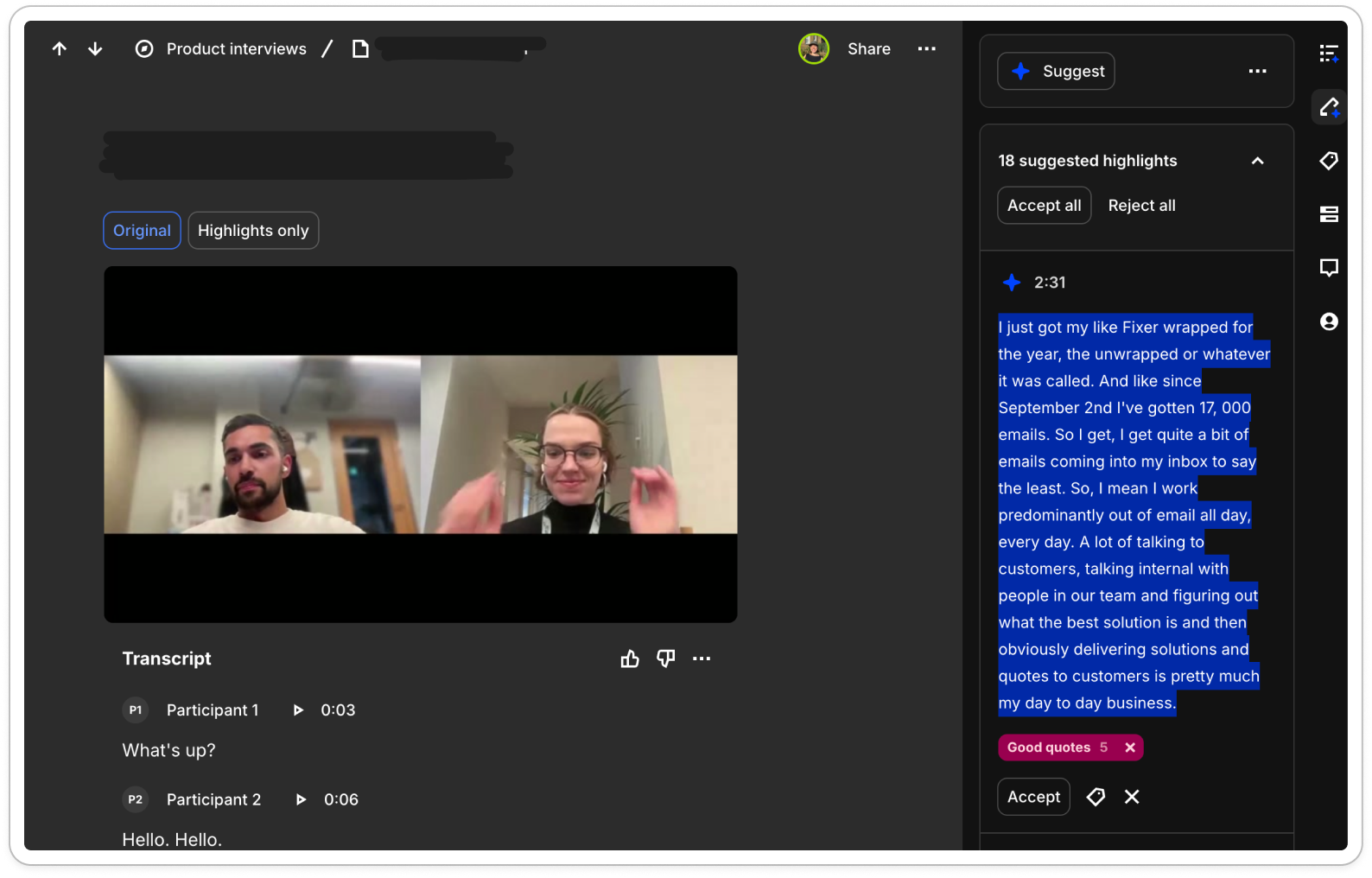
Dovetail pulls out the strongest quotes and prompts you to tag them.
It starts with a few defaults like positive and negative, but I quickly created my own based on what I was analysing: core feature themes, bugs, prototype reactions, general cheerleader quotes. I ended up with around 12 themes.
On the next interview, Dovetail reused those tags automatically. I just scanned through and accepted or declined them.
That alone helped me slow down and comb through each recording. But the bigger magic moment came next: highlights.
Each tag generates its own highlight reel, pulling together all the relevant quotes into a single video of customer snippets. You just paste the link and share it with the team.
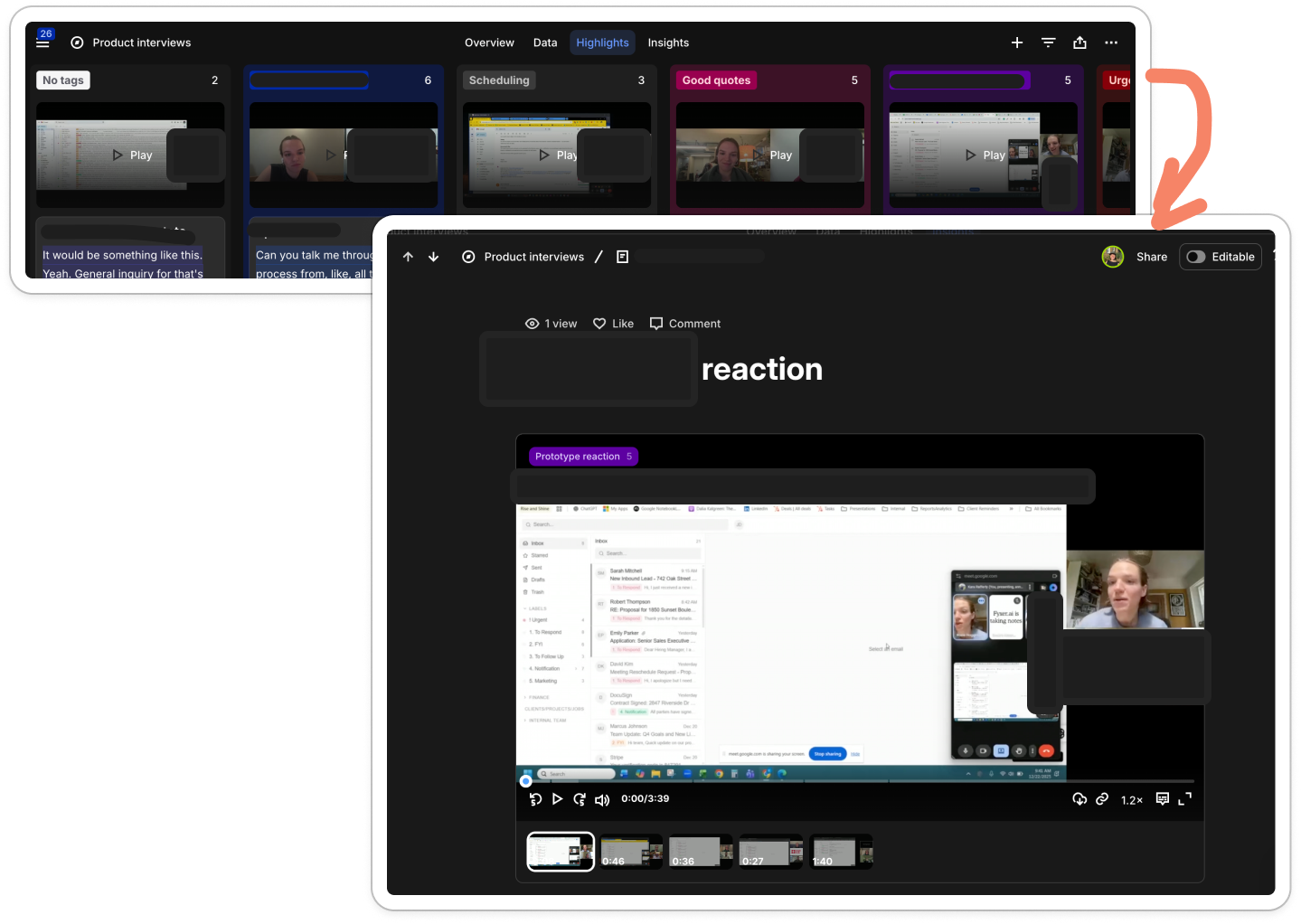
This one feature alone saved me a full day in the week before Christmas.
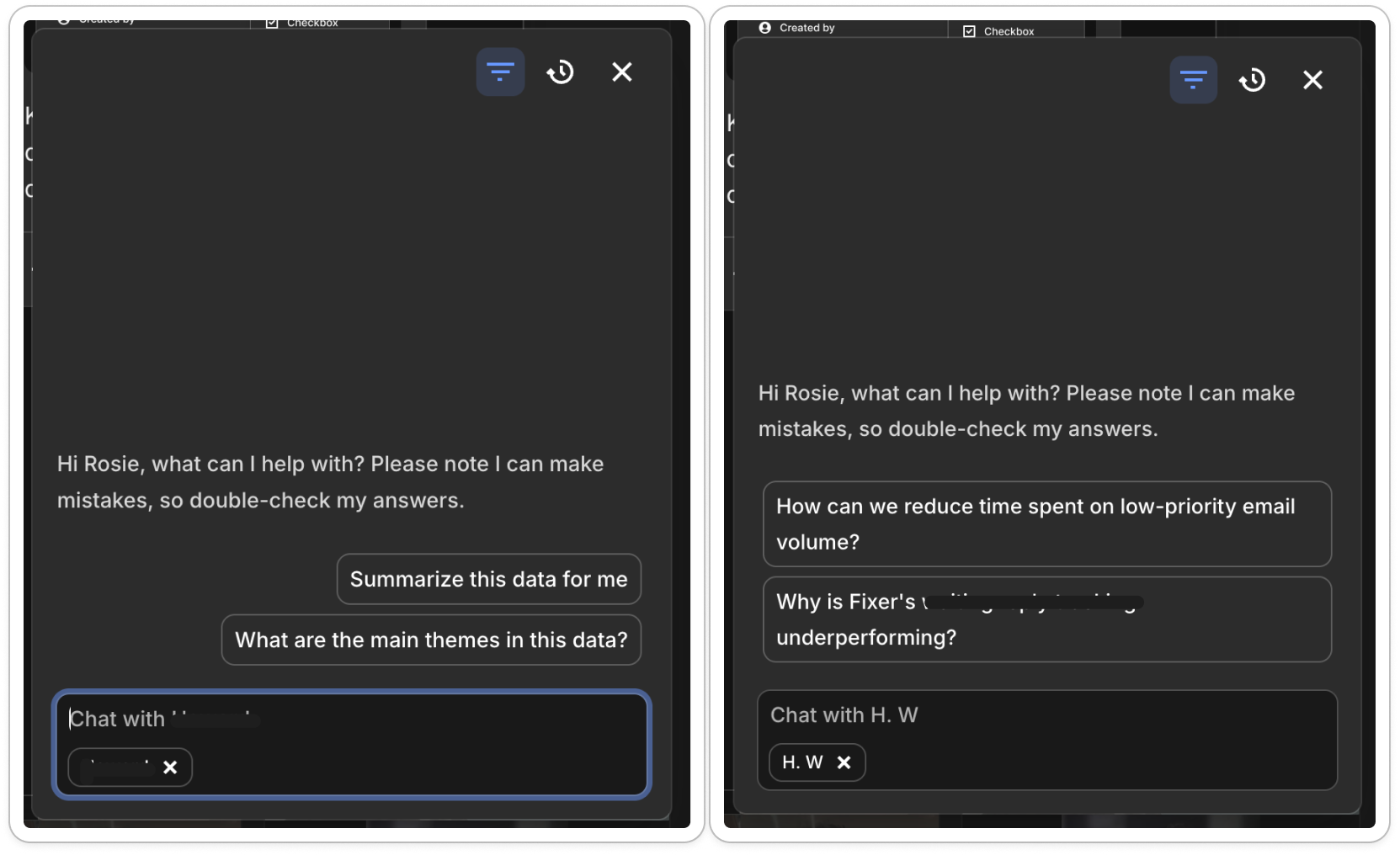
On top of that, the AI chat lets me query anything across interviews, or zoom into one, and turn it into a full-page written and video insight with a click.
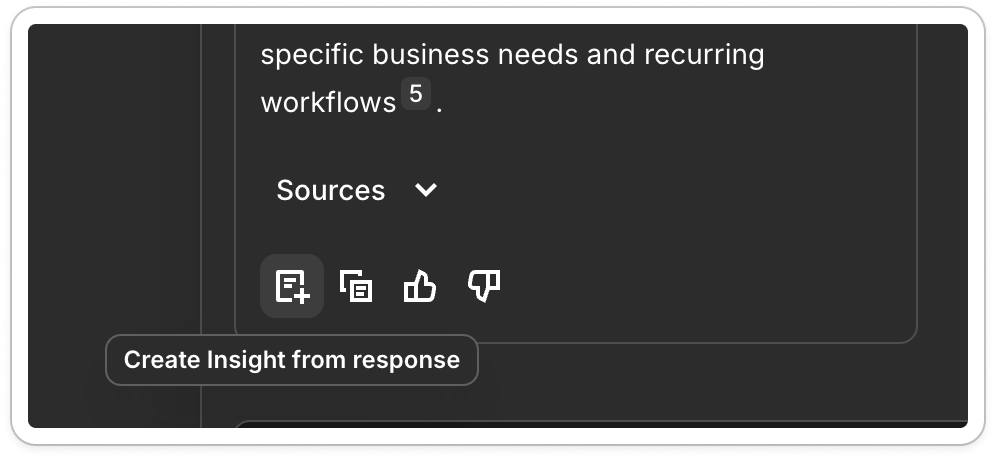
That’s it I’m sold.
I was ready to pay.
I was ready to invite my colleagues.
But would they let me?
Monetization friction: just take my money
My first week of use spanned my 7-day free trial and led me up to Christmas eve.
When I came back in January, I found my workspace locked. However, I’d logged into the wrong workspace (unsure how), saw none of my work and panicked for two hours that I’d lost my new tags. I then paid for the wrong workspace.
Luckily support sorted me out.
At that point, I needed to share my work with my colleague but he couldn’t get in.
I knew I needed to pay for him but payment was hard.
Why?
Typically in invite flows one of two things happens:
You invite, and it’s automatically added to your bill
You try to invite, and you get hit with a paywall
Dovetail does neither. If you haven’t paid for a seat, the invite button vanishes.
Literally vanishes 😂
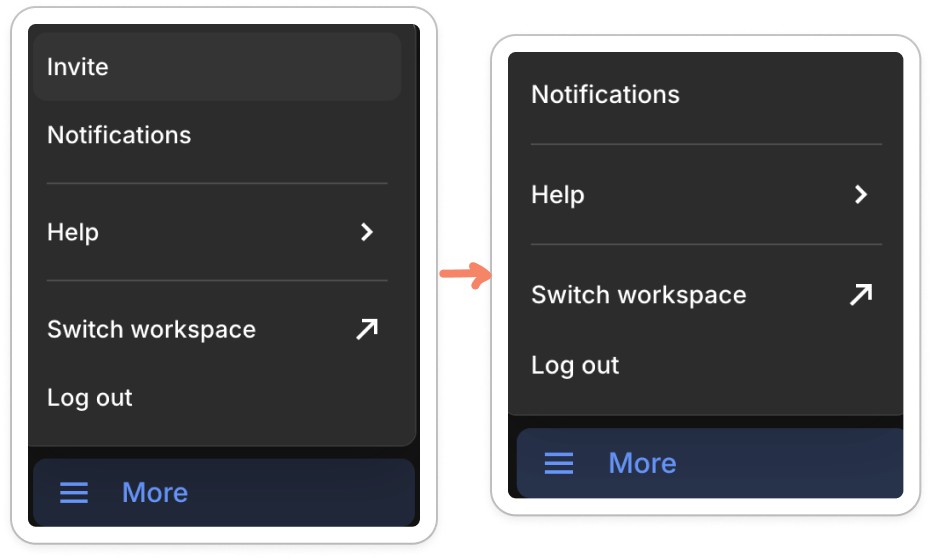
If I want to add a person to my team, I have to go to:
Settings > Billing > Modify Plan > use a dropdown to toggle from N to N+1 users > tick T&Cs > pay > update plan
And then the invite button reappears. Then I:
click invite > type email > click send
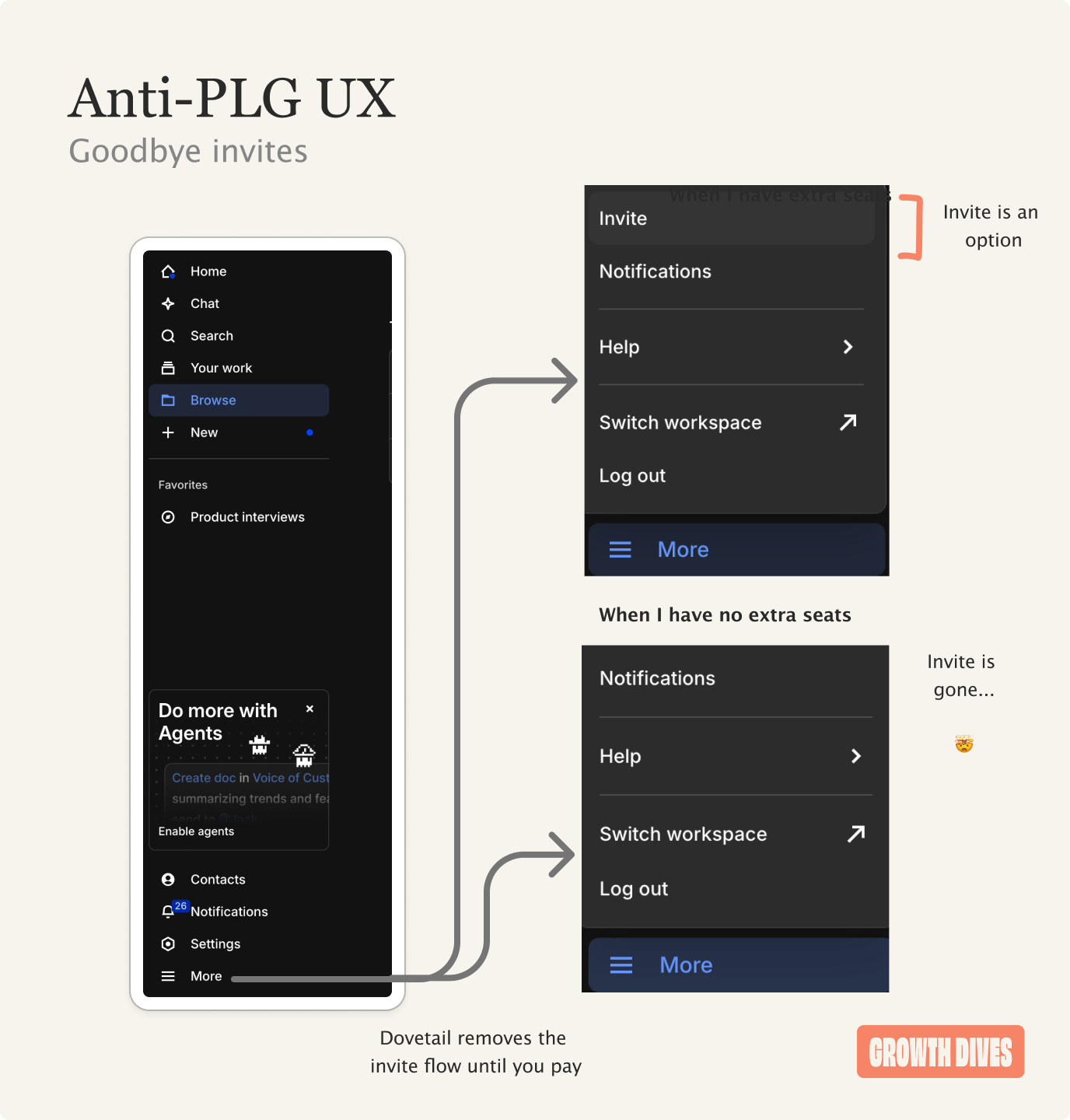
That’s 10 clicks when I just want to invite my colleague to my workspace 😭
The excess friction stopped me from moving fast and was deeply frustrating in the moment. Also confusing, why gate invites?
Perhaps they’d had complaints people were auto added to plans. Perhaps it’s always been that way.
As a growth person, it just screams for an easier invite flow, where payment is either part of it, or the user accepts with one click that they’re going to be added to the plan.
Once the admin friction passed, a different kind of problem appeared.
Lastly, new serenity turns to new chaos
Due to my speed, my workspace got messy quickly.
Two UX people told me not to worry:
Everyone’s Dovetail is messy, you’re not alone
I now have 30 unorganized interviews, in one project, 20+ tags (and counting), 9 messy insights and growing.
And a whole load of UX admin.
In order to make this a place all the team can come to, it needs a spring clean four weeks after it’s inception. So that I can be somewhere not just me and the design lead (who gets it) can hang out.
The UX research bottleneck has got further down the road, now we’re at scaling user research.
As a user, I’m wondering:
Have I saved more time than I’ve created? (probably yes)
Have I missed some best practice here? (definitely yes)
Am I getting the most out of this tool (100% no)
How should I have set this up for scaling? (we’ll have to find out)
Is it still worth it? (hell yes).
Zooming out from the user lens to a product lens, a few patterns stood out.
Three takeaways from Dovetail’s early experience
1. Fast activation creates onboarding debt
A quick onboarding helps time to value. But without understanding (or resources) users can build up onboarding debt with your product. The hard part of user research moved from being ‘do it well, quickly’ to ‘help scale this process with my team’. With that, mess just shows up later as organization, maintenance, and clean-up. Keeping things usable over time becomes the real job of the tool.
Between week two and month two, consider:
Suggesting best practice for account set up (1-2 key settings)
Email onboarding with ‘power user’ next level skills
Surfacing webinars for activation
Offering 1-many onboarding calls
Giving me a mini course (and an accreditation?)
Without these, I asked the support chat - which is a high-touch flow that isn’t ideal for their team.
2. Balance between product-led growth and billing
If a user wants to invite someone, and they can’t easily see how to do that, we have a problem.
Hiding the invite button until someone upgrades ruins momentum at exactly the wrong moment. I wanted to move fast, share work, and bring someone in. Instead, I had to hunt through settings, billing, plan changes, and confirmations just to get an invite button back.
PLG works best when the product leads and billing follows. When billing leads, you interrupt flow at the moment of highest value.
3. Scaling research needs different support than starting it
Great tools help one person get to value fast (which is hard in itself). Fewer help teams get to value fast.
After the initial setup, the challenge is no longer activation of a solo user. It’s managing multiple projects, overlapping tags, and half-finished insights that pile up quickly. As soon as the workspace gets messy, it’s less likely the power user will share it, and become unusable for the less research-inclined team mates.
My space is embarassing.
Clean workspace = pride in the work = more word of mouth and PLG within a team.
The recipe for team growth is cleanliness (some invite buttons, pretty please).
Curious to know, have you tried Dovetail?
That’s it for today’s newsletter, see you next week!
Great callout on the onboarding debt concept. That tension between fast activation and long-term usability isa realproblem most PLG tools ignore until churn starts climbing. I ran into this exact issue with Notion back in 2021, where the workspace went from clean to absolute chaos in like three weeks. The vanishing invite button is wild tho.